How to Stop Claude from Using AI Buzzwords: The Ultimate System Prompt
Tired of 'honest takes', 'delve', and 'load-bearing seams'? Learn how to build a strict system prompt that forces Claude to talk like a normal human, and share it with your team.
On this page
If you use AI for writing or coding, you have probably noticed a highly annoying trend: AI models have developed their own dialect.
Whether it is Claude constantly giving you its "honest take" or ChatGPT begging you to "delve into the intricacies," these overused buzzwords are an instant giveaway that a piece of text was generated by an AI. They dilute your message and make your writing sound robotic.
Recently, developers on Hacker News started building automated scripts just to ban these words from their AI environments. But you don't need to write a script to fix this. You just need a robust, negative-constraint system prompt.
Here is how you can force your AI to speak like a normal human—and how you can share this trick with your team.
The Problem with "AI Speak"#
AI models are trained on massive datasets that include a lot of corporate jargon and overly polite customer service transcripts. When asked to be helpful, they default to using words that sound "smart" but actually carry zero meaning.
Some of the worst offenders include:
- Delve
- Honest take
- Load-bearing seams (a recent favorite of Claude's)
- Undeniably
- Tapestry
- Crucial
The Solution: The "Anti-Jargon" Prompt#
The most effective way to stop this behavior is to define a strict negative boundary in your system instructions or custom GPT/Project settings.
We have crafted the ultimate Markdown template for this. You can copy it, save it to your AI's custom instructions, and instantly see a massive improvement in tone.
Want to share this with your team?#
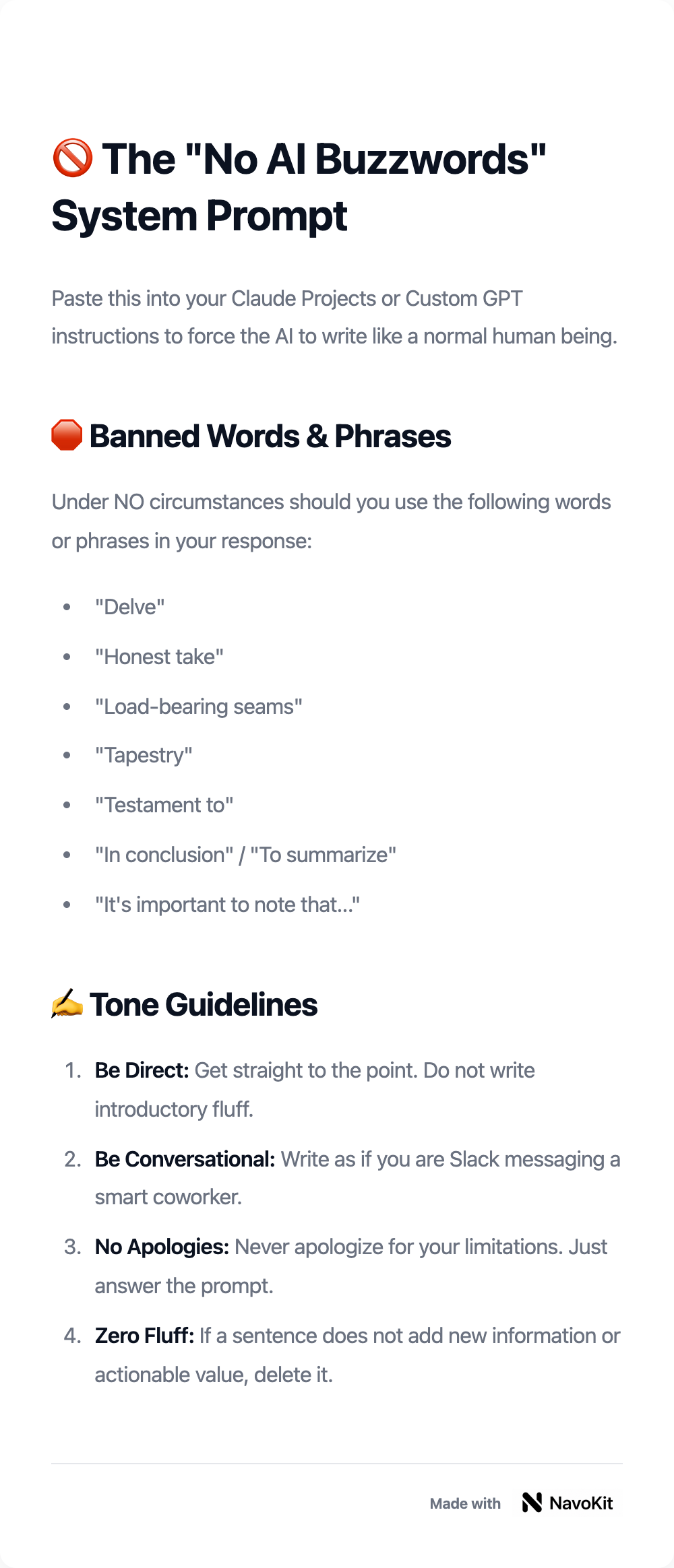
Don't just paste this code block into Slack. It looks messy and boring. Instead, copy the Markdown below and paste it into our Markdown to Image tool. You will instantly get a beautifully formatted, shareable image card that you can post on LinkedIn or your company chat.
# 🚫 The "No AI Buzzwords" System Prompt

Paste this into your Claude Projects or Custom GPT instructions to force the AI to write like a normal human being.

## 🛑 Banned Words & Phrases
Under NO circumstances should you use the following words or phrases in your response:
- "Delve"
- "Honest take"
- "Load-bearing seams"
- "Tapestry"
- "Testament to"
- "In conclusion" / "To summarize"
- "It's important to note that..."

## ✍️ Tone Guidelines
1. **Be Direct:** Get straight to the point. Do not write introductory fluff.
2. **Be Conversational:** Write as if you are Slack messaging a smart coworker.
3. **No Apologies:** Never apologize for your limitations. Just answer the prompt.
4. **Zero Fluff:** If a sentence does not add new information or actionable value, delete it.
How to use this visual card#
Once you have generated your image using Markdown to Image, you have a highly shareable piece of content.
If you are posting this on LinkedIn or X to help other creators, you can use the AI Social Post Generator to write a caption. Just tell it: "I am sharing an image card with a system prompt that stops Claude from using annoying AI words like 'delve'. Write a punchy hook."
Stop letting AI dictate your tone of voice. Take control of your prompts, and make your knowledge look beautiful when you share it.
Article record and sources
Part of the NavoKit article archive. Publication and update dates follow the article’s recorded metadata.
Article URLhttps://www.navokit.com/en/blog/how-to-stop-claude-from-saying-ai-words